

Hama bead pattern maker for Midi and Mini beads

Make a Hama bead pattern from any of your photos or drawings: choose Hama Midi or Hama Mini, and every bead in the chart gets a Hama colour code. The same fuse bead pattern maker also covers Artkal S, Artkal C and Nabbi, so you can chart with the beads you can actually buy where you live.

Last updated:

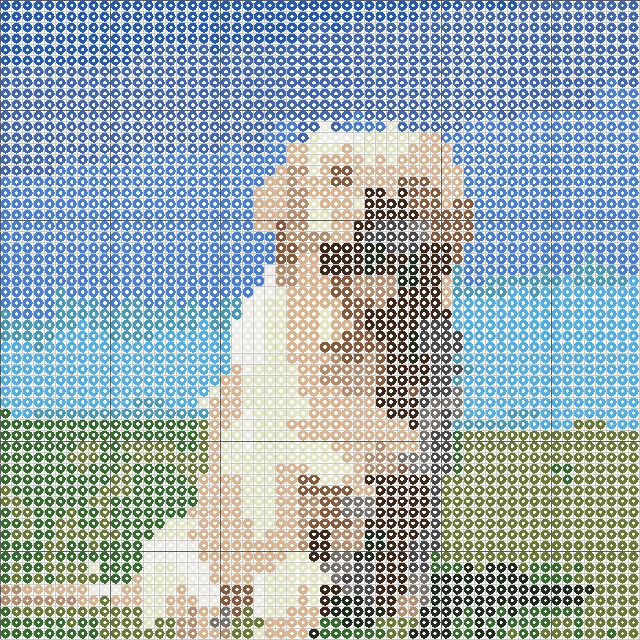
Golden retriever sitting on grass under a blue skyBeads pattern of Golden retriever sitting on grass under a blue sky
Golden retriever sitting on grass under a blue skySample PDF
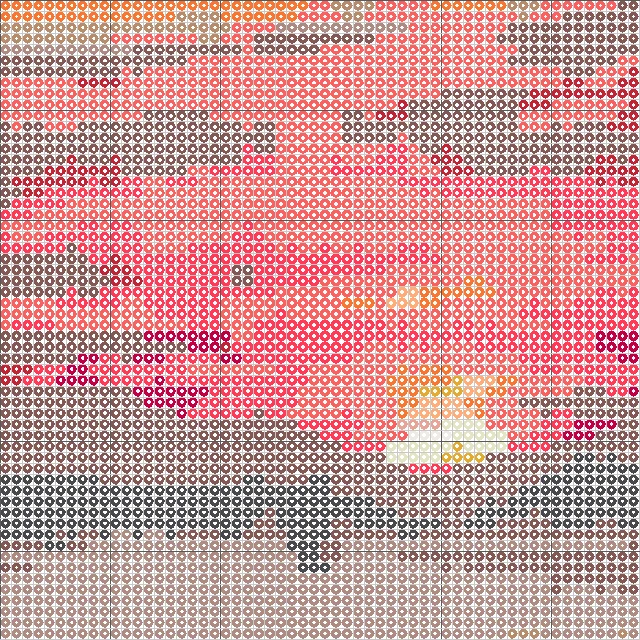
Sailboat on the sea at sunsetBeads pattern of Sailboat on the sea at sunset
Sailboat on the sea at sunsetSample PDF

Good for

  • Hama Midi projects on large square pegboards
  • Fine, small Hama Mini designs
  • Artkal and Nabbi collections in Europe and Scandinavia
  • Craft sessions with children, using their own artwork

How to use it

  1. 01

    Add a picture

    Use a photo or a scanned drawing (JPG, PNG or WebP, 20 MB at most). Crop close, and leave the background empty if you want a shaped piece instead of a full square.

  2. 02

    Choose the bead line and board

    Pick Hama Midi, Hama Mini, Artkal S, Artkal C or Nabbi. Set the design size (up to 300 × 300 beads), your board size and how many colours you want to use.

  3. 03

    Download the chart

    You get a PDF that maps out every board, a CSV bead list with a spare 10% per colour, and a PNG preview to share or keep.

Midi or Mini: which Hama size?

Hama Midi beads are about 5 mm and suit most projects, from coasters to wall pieces: a 29 × 29 bead square comes out near 14.5 cm wide. Hama Mini beads are about 2.5 mm, so the same 29 × 29 design is only about 7 cm wide and can hold far more detail, but takes more patience. Set the board size to match the pegboards you own, since Mini boards are smaller.

One fuse bead pattern maker, several brands

Each palette uses the colour codes its brand publishes, so the bead list reads like your supply box. Mixing brands on one board is possible, but they melt at slightly different speeds and shades with the same name differ, so a single palette per project gives the most even result.

What it costs

The pattern, editor and PDF are free. Credits pay only for the optional AI photo steps, and a failed job is refunded automatically. See plans and packs

Credits per photo for each AI step
AI stepWhat it doesCredits per photo
Remove backgroundCut the subject out of the photo6
Clean up for stitchingSimplify the photo for stitching36
Upscale a small photoFour times the pixels for a small photo8

Questions

Can I make Hama Mini patterns?

Yes. Choose Hama Mini as the palette and set your board size; the chart and bead list use Hama Mini colour codes.

Does it support Artkal and Nabbi beads?

Yes. Artkal S, Artkal C and Nabbi are available alongside Hama Midi, Hama Mini, Perler and Perler Mini.

How accurate are the bead colours?

Colours are matched to the nearest bead colour by a colour difference formula, but screens show bead colours only approximately. Check against real beads before a large piece.

Do I need an account?

No. Making, editing and downloading bead patterns works without an account. An account and credits are only needed for the optional AI photo steps, such as a background cut-out for 6 credits.